Download the free Apple Quicktime Player found at URL: http://www.apple.com/quicktime/download/win.html
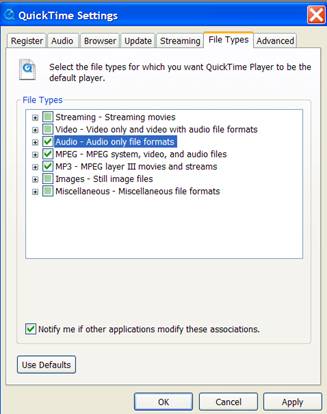
When you download the player be sure to select the file types that you want Quicktime Player to be the default player for (WAVE audio, MPEG-4 media, MP3 Audio).
If you already have the Quicktime player installed on your computer. Be sure to also set the file types that you want the Quicktime Player to be the default player for (WAVE audio, MPEG-4 media, MP3 Audio).
To set the file types once you have already downloaded quicktime follow the next set of instructions.
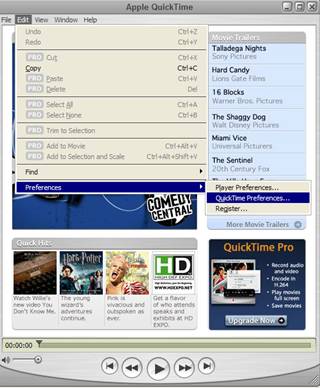
Open Quicktime Player
Edit the Quicktime Player Preferences
File Type Tab > Check Audio > Check MPEG > Check MP3